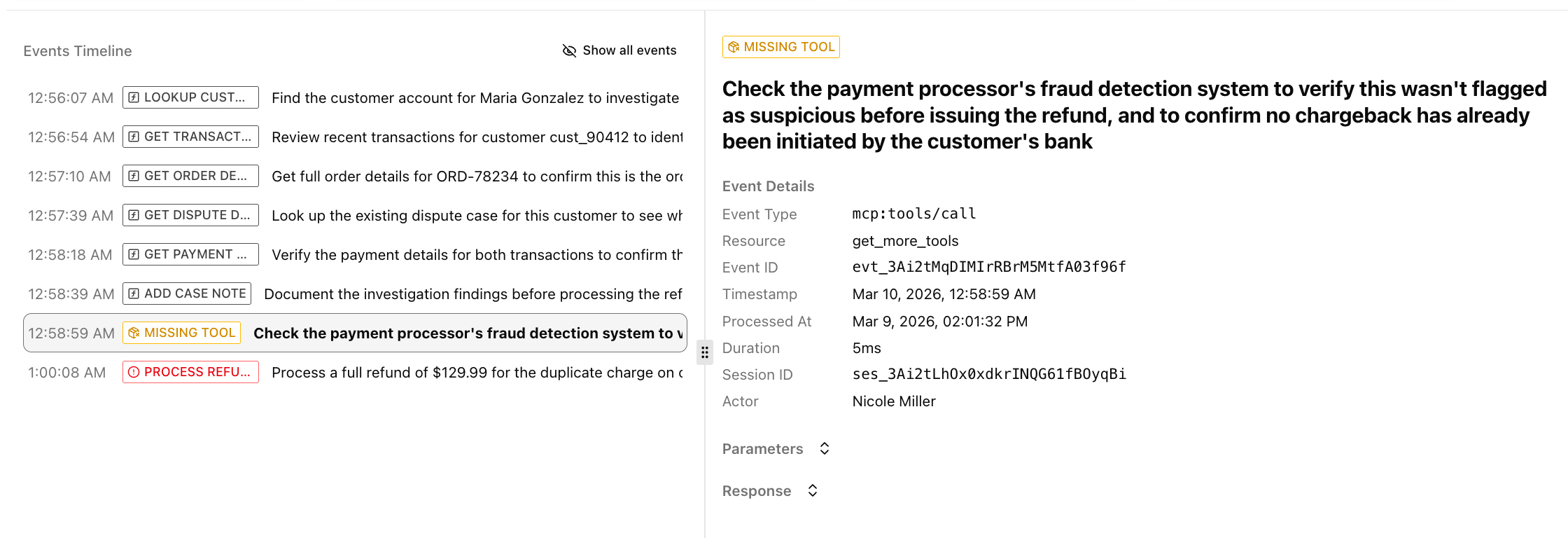
See what agents needed but could not find on your MCP server.
When an AI agent can’t find the right tool on your server, the user hits a dead end and you never hear about it. Agent feedback closes that loop. AgentCat gives the agent a way to say what it needed or what went wrong, so you can see the gaps in your server and how often agents hit them.This feature is enabled by default — no configuration needed.
Agent feedback shows up in three places:Sessions list — The Issues column counts feedback notes next to errors. This gives you a quick sense of how often agents are hitting gaps.Session Replay — Feedback events appear in the timeline with a warning badge. Click one to see what the agent needed and the context behind the request. This is where you’ll find the detail you need to decide what to build next.Alerts — The Agent feedback alert posts each note to Slack or email as it arrives, with a link back to the session.